


Having a good volume of sound coming out of your android device is essential to a good user experience. Sometimes, however, you can barely hear the sound coming out of our android device. What are the reasons for low sound on Android phones? A low sound on Android may be due to your volume settings …
Smartphone


Does the music player keep stopping while listening to music on your Android device? The music player may keep stopping if your device doesn’t have enough RAM or storage space available to run the music application. It can also stop if the music player doesn’t have permission to run in the background. Software issues in …

On your Android device, you may find the volume control buttons on the side aren’t working when your screen is locked. How can you control the volume on the lock screen? You can control the volume on your lock screen by allowing the volume controls on the lock screen. You can also use a third-party …

Your Android phone plays system sounds whenever an event occurs such as a incoming call or notification. System sounds range from ringtones, notification sounds, alarms, and UI sounds. Where are they stored on your device? Preloaded system sounds are stored in the /system/product/media/audio directory which contains a folder for each system sound type e.g. Ringtones, …


You frequently need to adjust the system volume on Android, whether you want to tone down your ringtone so it doesn’t disturb you, or want to have the volume up to keep an eye on urgent messages. The system volume is the volume you can adjust on the device, including the volume of your ringtone, …


When you need to type something and the keyboard does not show up, this could become annoying really easily. This problem is quite common and has several easy solutions most of the time. If the keyboard is not showing, it’s likely the keyboard app has stopped working properly or crashed. Force stopping or restarting the …


The on-screen keyboard is a standard feature on Android. Has the onscreen keyboard on your Android phone suddenly gotten smaller? A small keyboard on Android can due to the activation of the One-handed mode. You can easily switch to the normal keyboard by turning off the One-handed mode. To turn off and return to your …


The clock widget on the Home screen of your Android phone lets you conveniently view the time and date when using the device. How do you customize the clock’s look and feel? To change the Home screen clock on Android, you can create a new one: Press and hold the existing clock widget > tap …

There are many reasons you might want to keep the data on your Android device private and secure. One way is to hide folders in your gallery. To hide a folder, go to the file manager app and select the folder you want to hide. Create a new folder with the name “.nomedia”. This basically …

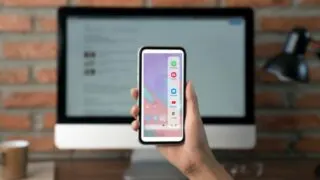
Your Android phone has an edge bar (aka sidebar) feature for easy access to your favorite apps and content from the screen side. How do you move the sidebar upwards or downwards along the side or shift it to the other side? To move the edge bar, touch and hold the bar handle and slide …