

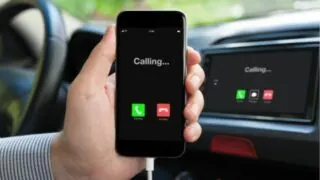
While having an ongoing call on your iPhone, as you move the phone around it’s easy to accidentally touch the screen and trigger unwanted actions on your phone, including pressing the end call button. How can you lock your iPhone screen during a call? To lock the screen while in a call you can simply …
Smartphone


If your iPhone is automatically rejecting incoming calls, there is likely an issue with either your device settings or the mobile network. How do you stop an iPhone from rejecting the incoming calls? Also, can you make your line busy for the callers? Why is my iPhone rejecting calls by itself? If your iPhone is …

What happens when you change your number in your phone’s settings, versus when you actually change your number with a new SIM card? Changing the number on your iPhone in settings is a temporary change and will revert back to your original number (SIM number) within a few seconds. It will not affect the number …


Many apps require access to your iPhone to be able to display a selection of photos to choose from in the app in order to perform a certain action with them. Examples include image editing apps, Instagram, Snapchat etc. Because they have access to your photo gallery, apps could in theory copy and “steal” your …

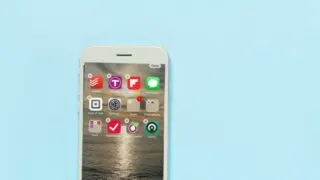
Your apps may be moving if you’re in edit mode. This mode lets you rearrange your apps and widgets and place them wherever you feel like. You can easily get out of edit mode by simply tapping any empty area on the home screen or by tapping the Done icon on the top right corner. …

While the iPhone is designed to self-maintain, apps that run in the background consume more battery and resources, so in some cases it can be useful to stop certains apps from running in the background. You can modify the settings to stop the apps from running in the background. Alternatively, you can put your iPhone …


After deleting an app from your iPhone, it may still show up in your app library or in your app search, and you may still be able to launch and use it. If a deleted app is still showing up on your iPhone, it may be because you’ve only removed the app from your home …


Does your iPhone randomly open apps, scroll the screen, and type without you touching the screen? If that sounds like your issue, you are experiencing ghost touching. The ghost touch problem on iPhone devices is when, even though you are not touching the screen, the iPhone thinks you are and keeps registering your finger movement. …


Sometimes when we miss our alarm we wonder whether the alarm stopped by itself or it didn’t ring at all. Let’s find out how long an Android phone alarm goes on for if you don’t snooze or silence it. The android alarm stops by itself after ringing for 5-6 minutes, it doesn’t keep ringing all …


Your phone is not on silent mode and all the notification sounds are enabled. But the alarm only vibrates without any sound. Why? The alarms have their personalized settings and have nothing to do with the phone’s sound settings. If your alarm only vibrates on your Android phone, you might have enabled the vibration mode …